

About this test. We ran this in 2016 on a Raspberry Pi 3 B, in our own data centre, against a real dedicated server. The benchmark figures and photographs below are from that test and haven’t been altered. What the Pi can do today is a different question — there’s a section on that at the end.
Raspberry has been one of the greatest revolutions of modern computing. It sold over 5 million units since 2015. Most of the people use it as a media centre, video games emulator console, music player, advertising outdoors… And now Copahost thought: why not using it as a cheap dedicated server?
First of all, the setup

We used one stock Raspberry Pi 3 B (49€), with 1GB of RAM and a 1.2GHz 64-bit quad-core ARM Cortex-A53 CPU. The storage is one 32GB Adata Class 10 MicroSD card (9€).
This Cortex-A53 is 10 times faster than the original Raspberry 1 CPU. That’s a huge improvement.
We installed Raspbian Jessie on it.
Let’s bring the Raspberry “junior” dedicated server into the data center and power it on

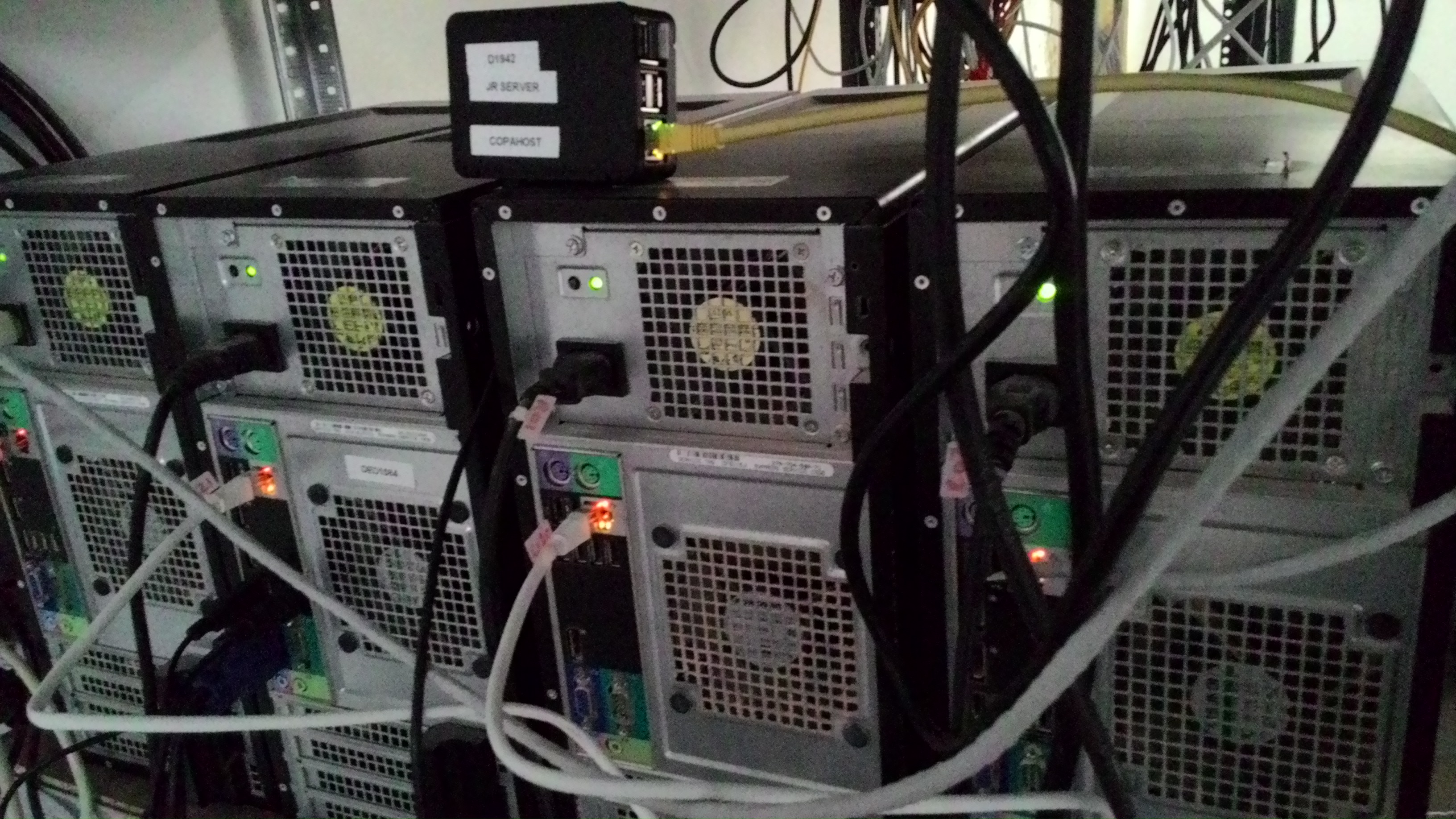
Expand the filesystem with raspi-config

By default, Raspbian will partition the SD card only using a small partition. We must enter raspi-config, in order to expand the filesystem to use all the available space in the SD card.
# raspi-config
And then simply select “Expand Filesystem” and hit enter.
Note: you have to reboot it so that changes take effect.
After the reboot, we can now see the whole space mounted in /

A note on versions: the commands below install what was current in 2016 — Raspbian Jessie, Apache 2, PHP 5 and MySQL 5.6. All are now end-of-life, and apt-get install php5 no longer resolves on a modern Raspberry Pi OS. They’re kept here as the record of what was tested. On a current Pi, the equivalent is apt install apache2 php mariadb-server.
Installing LAMP – Apache MySQL and PHP
We prepared a standard and popular environment, similar to a dedicated server. Installed and configured Apache 2, PHP 5 and MySQL 5.6. Raspberry was set up to run a WordPress website as a test.
First of all, let’s install Apache web server
# sudo apt-get install apache2 -y
Now let’s install PHP5 with Libapache
# sudo apt-get install php5 libapache2-mod-php5 -y
Now we will install MySQL
# sudo apt-get install mysql-server php5-mysql -y
Let’s see it running
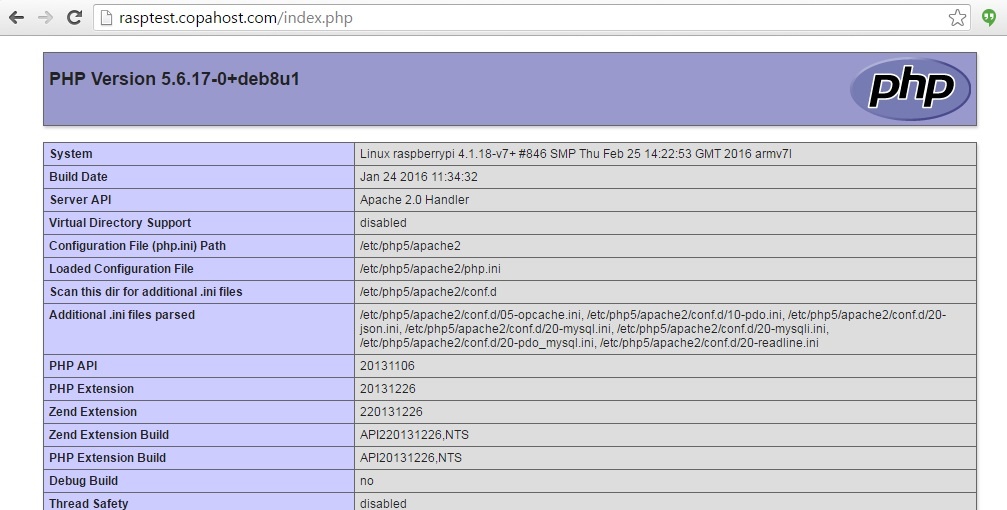
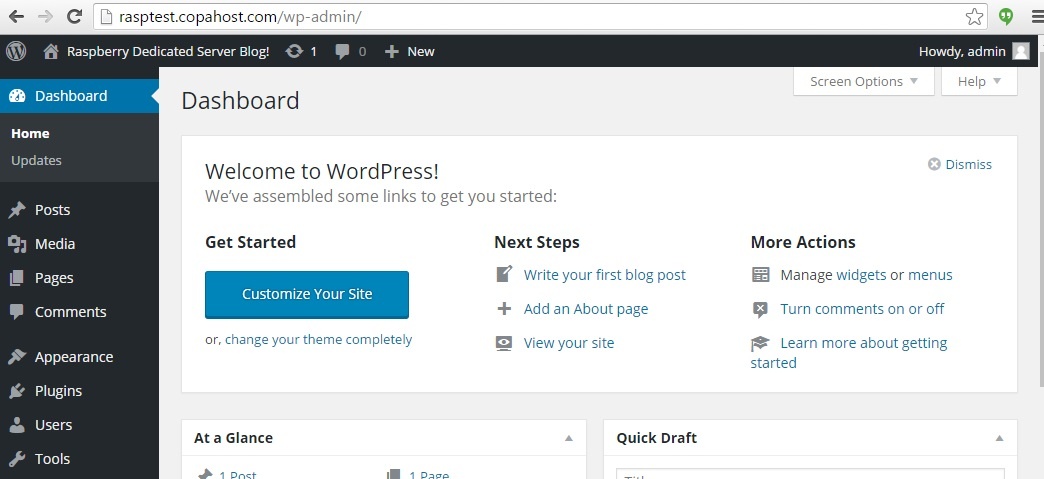
Benchmark – Dedicated server vs Raspberry Pi 3 B
We made a stress test on the web server, to check what its limit is. We performed 50 concurrent and sequential connections to it, using curl. The result was amazing. It stayed stable up to 35 concurrent connections and still responded at 50 — which sounds better than it is, as the sysbench comparison below shows. Serving a static page under load is a different task from computing.
We created a script called stress.sh, with this content:
max=50
for (( i=1; i <= $max; ++i ))
do
curl -s "http://rasptest.copahost.com?[0-500]" &
done
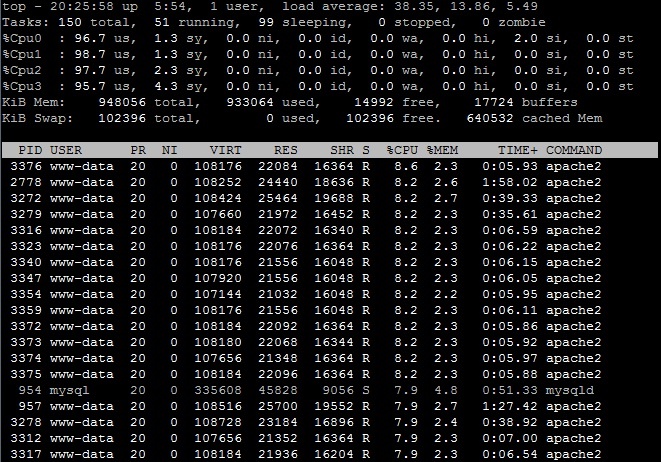
Of course we know Raspberry have a simple CPU, compatible with its price. So we put an old dedicated server together and tested both of them with sysbench for linux.
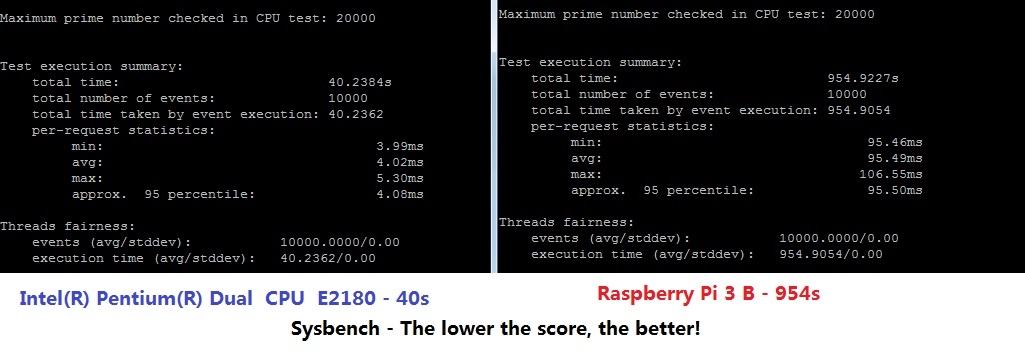
In Sysbench we got a score of 40.23s in E2180 versus 954.90s in Raspberry Pi 3. The lower, the better. The performance of the Raspberry Pi 3 may be a bit disappointing if compared with a standard dedicated server.
In other words, this CPU is 23 times slower than a standard Pentium Dual Core.
Ten years later: where the Pi stands now
This test ran in 2016 on a Pi 3 B. The prediction at the end — that future versions would become genuinely competitive — turned out to be right, and sooner than expected.
The Pi 5, released in 2023, is several times faster in every dimension: a quad-core Cortex-A76 at 2.4GHz, up to 16GB of RAM, and — the change that matters most for server use — a PCIe interface for NVMe storage.
That last one addresses the biggest weakness in this test. The Pi 3’s bottleneck wasn’t really the CPU; it was the SD card. A Pi 5 with an NVMe drive removes that entirely, and the difference on database work is not subtle.
What hasn’t changed:
- It’s still ARM, so some software needs architecture-specific builds
- Power delivery is stricter than people expect, and an underpowered supply causes failures that look like software problems
- For a public-facing site, the connection and the static IP still matter more than the hardware
Where the Pi is genuinely good today is the set of light, always-on services a home server runs: ad blocking, home automation, file sharing, a small database. Our guide on home servers covers where that class of hardware fits, and where a used mini PC does the job better for similar money. Its cost calculator turns a machine’s watts into a monthly cost and compares it with a VPS.
Conclusion: is it possible to run Raspberry Pi as a dedicated server in production?
Using it to host a simple site with a simple MySQL database works perfectly. You can consider using a Raspberry dedicated server for simple operations. As you populate a MySQL database with many results or install some WordPress plugins, the performance may be suffering a bit.
The pros:
Very low power consumption — a few watts, against tens or hundreds for a conventional server.
Can be used as a small and simple web and database server
External USB Hard disks can be connected to it
Very low price
Nice style
The cons:
Poor CPU performance
Poor IO performance, as it depends on an SD card
Lacks a reboot button (there are some mods for it)
For a cheap, powerful and reliably reachable server, a VPS remains the better answer — and mainly for reasons that have nothing to do with the hardware. A static IP, a connection that doesn’t depend on your router, and a machine that stays up while you’re away are what a public site actually needs.
But the Pi grew into exactly the role this test hinted at: a capable little machine for services that live on your own network, drawing a few watts and making no noise. Ten years on, that’s a better outcome than becoming a small dedicated server would have been.
