
You run a quick check on a URL and instead of the page you expected, the response header says HTTP/1.1 302 Found. Or an SEO tool flags one of your pages with a “302 redirect” warning. Or worse, a browser gives up with “too many redirects.” All three trace back to the same status code — and understanding it properly is the difference between a redirect that helps your site and one that quietly drains its traffic.
This guide covers HTTP 302 from every angle: what it actually means, the different names you’ll see it under, how it compares to 301, 307, and 303, when it’s the right tool and when it’s a mistake, how it causes redirect loops, and exactly how to set one up — or fix one — on Apache, Nginx, PHP, and WordPress.
Quick answer: HTTP 302 is a temporary redirect. It tells the browser, “the resource you asked for is for now at a different URL — go there this time, but keep using the original URL in the future.” The original address stays the canonical one, which is what separates it from a permanent 301.
Table of Contents
What HTTP 302 actually means
302 belongs to the 3xx family of HTTP status codes, which all deal with redirection. Its official name today is “Found,” and it signals that the requested resource is temporarily available at a different location.
Here’s the mechanics. When your browser requests a page and the server wants to redirect it temporarily, the server replies with a 302 status and a Location header pointing to the new URL:
GET /promo HTTP/1.1
Host: example.com

HTTP/1.1 302 Found
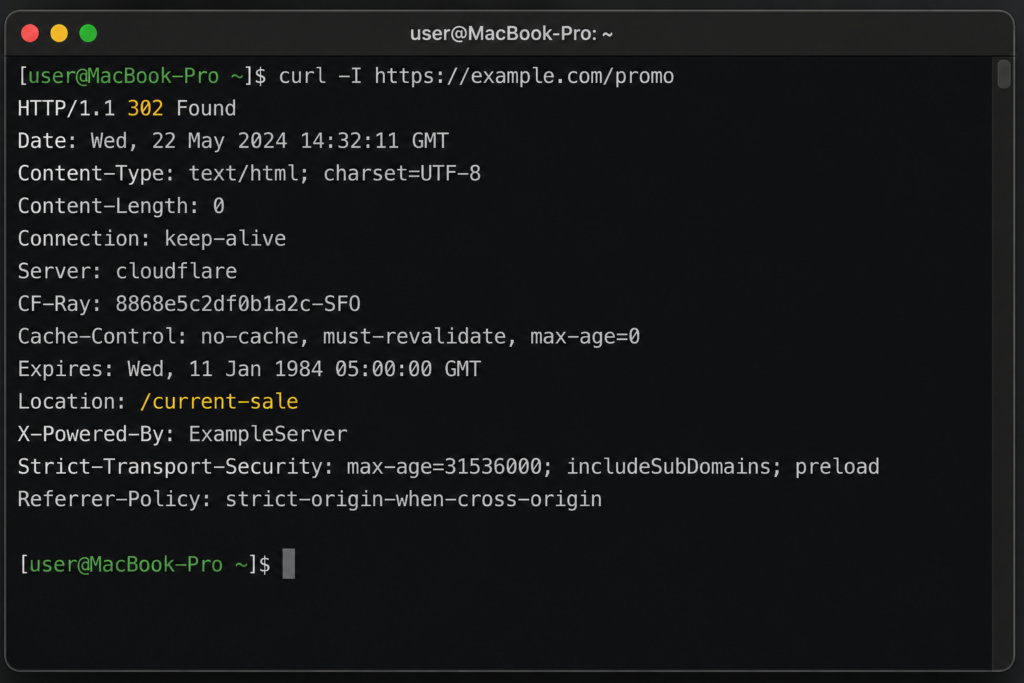
Location: /current-saleCode language: HTTP (http)The browser sees the 302, reads the Location header, and automatically requests the new URL — usually so fast the visitor never notices the detour. The key idea is in one word: temporary. Because the move is provisional, the original URL remains the “real” address, and clients are expected to keep using it for future requests rather than memorizing the new one.
A quick bit of history explains why the 302 carries so much baggage. In HTTP/1.0 (RFC 1945, 1996), the code was named “Moved Temporarily” — and the spec said the request method should be preserved across the redirect. In practice, browsers didn’t honor that and switched POST to GET, so when HTTP/1.1 arrived (RFC 2616, 1999) the working group renamed 302 to “Found” and split off two unambiguous codes — 303 See Other and 307 Temporary Redirect — to cover the two behaviors people actually wanted.
The current specification, RFC 9110 (2022), keeps the name “Found” and formally documents the long-standing reality: clients may change the method to GET on a 302, which is exactly why 307 exists for when they must not. So the different labels you’ll still see in the wild — “Moved Temporarily” on older servers, “Found” on modern ones — aren’t different codes; they’re different chapters in the same status code’s history.
That single property — temporary vs permanent — drives almost every practical decision about when to use a 302, and it’s where most mistakes happen.
302 vs 301: the distinction that matters most
The 302’s closest relative is the 301 Moved Permanently, and confusing the two is the single most common (and most costly) redirect error.
A 301 says: “this resource has moved for good.” Browsers and search engines update their records to the new URL, and — crucially for SEO — the ranking signals and “link equity” of the old page transfer to the new one.
A 302 says: “this is just for now.” The original URL stays indexed as the canonical address. Historically, search engines did not transfer SEO value across a 302, precisely because the move is meant to be reversed.
The SEO nuance has shifted, though, and it’s worth being precise:
- Google today largely treats a 302 and a 301 as equivalent for crawling, and both can pass ranking signals — and if a 302 is left in place long enough, Google may eventually treat it as permanent.
- Other engines (Bing, for example) still honor the literal meaning: 302 for temporary, 301 for permanent moves.
- SEO audit tools (Ahrefs, Semrush, Screaming Frog) will flag 302s on what look like permanent moves, because relying on a search engine to “guess” your intent is fragile.
The practical rule survives all of this: match the code to your intent. If the change is permanent, use 301; if it’s genuinely temporary, use 302. Leaving a permanent move on a 302 is the classic mistake that loses organic traffic with no error in your logs — the only symptom is a slow decline in rankings. If you’re deciding between the two for a specific change, our complete 301 vs 302 comparison walks through exactly which to pick and why.
Aqui está a seção sobre cacheabilidade, pronta para colar. Sugiro inseri-la logo após “302 vs 301: the distinction that matters most” — é onde o leitor acabou de entender temporário vs permanente, e o comportamento de cache é a consequência prática direta dessa diferença.
Caching: why 302s are easy to undo and 301s aren’t
One of the most practical differences between a 302 and a 301 has nothing to do with SEO — it’s caching, and it’s the reason a wrong redirect can be so hard to take back.
A 301 is cached aggressively. Browsers treat a permanent redirect as exactly that: once a browser sees a 301 from a URL, it remembers it and stops asking the server, sending visitors straight to the destination on every future visit — sometimes for a very long time. That’s great when the move really is permanent, but it’s a trap if you made a mistake: even after you remove the 301 on the server, returning visitors keep getting redirected because the instruction is baked into their browser cache, not yours. Reversing it often means waiting out the cache or telling users to clear it.
A 302 is not cached by default. Because it’s temporary, the browser is expected to re-check the original URL on the next request rather than memorizing the redirect. That makes 302s safe to add and remove on the fly — ideal for maintenance pages, A/B tests, and campaigns, where you want the redirect gone the moment you delete it. This “undoable” behavior is one of the strongest reasons to prefer a 302 whenever you’re not certain a move is permanent.
You can override the default in either direction with the Cache-Control header. To let a temporary 302 be cached for a set time (say, an hour), the server sends it alongside the redirect:
HTTP/1.1 302 Found
Location: /current-sale
Cache-Control: max-age=3600Code language: HTTP (http)
And to stop a 302 from being cached at all — useful for redirects that change per request, like geolocation or A/B routing — send:
Cache-Control: no-storeCode language: HTTP (http)The rule of thumb: let the status code signal intent (301 permanent, 302 temporary) and use Cache-Control to fine-tune how long that instruction sticks. And be deliberate with 301s specifically — because they’re cached so persistently, never use one for a move you might reverse.
The hidden quirk: 302, 307, and 303 (request methods)
Here’s something most “what is a 302” articles skip, and it’s where real bugs come from. The original HTTP spec said a 302 should preserve the request method — if you sent a POST, the redirected request should also be a POST. But in the early web, browsers almost universally ignored that and switched POST to GET on a 302. That behavior became so widespread it was effectively standardized: the Fetch standard now codifies that a user agent receiving a 302 after a POST uses GET for the follow-up request.
To remove the ambiguity, two more specific codes were created:
- 307 Temporary Redirect — same “temporary” meaning as 302, but it guarantees the method and body are preserved. If you need a POST or PUT to survive the redirect intact, use 307, not 302.
- 303 See Other — a temporary redirect that always switches to GET. This is the backbone of the Post/Redirect/Get pattern: after a form submission, you redirect with 303 so a browser refresh doesn’t resubmit the form.
So the modern guidance is: use 302 for simple, GET-based temporary detours; reach for 307 when the HTTP method must be preserved, and 303 when you specifically want to force a GET after a POST.
The variations: every way you’ll see a 302
The “302” you encounter can wear several different labels depending on the server software, the HTTP version, and the tool you’re looking at. They all mean the same thing — a temporary redirect — but recognizing each one saves confusion when debugging.
A few related labels worth knowing so you don’t mistake them for a 302:
- “ERR_TOO_MANY_REDIRECTS” (Chrome) / “The page isn’t redirecting properly” (Firefox) — not a 302 itself, but what a browser shows when 302s (or other redirects) chain into an infinite loop. More on fixing that below.
- “302 Temporarily Moved” / “Temporary Redirect” — loose paraphrases that sometimes appear in tooling; treat them as a 302 (or check whether the tool actually means a 307).
The full 3xx redirect family at a glance
302 only makes sense next to its siblings. Here’s how the whole redirect family compares:
When a 302 is the right choice
Used for what it’s meant for, a 302 is genuinely useful. Legitimate cases include:
- A/B testing. Temporarily route a slice of traffic to a variant page without telling search engines the original has moved.
- Maintenance. Send visitors to a status or “back soon” page while the real page is down, then remove the redirect afterward.
- Geolocation and language. Temporarily forward a visitor to a regional or translated version while keeping the canonical URL intact.
- Post-action redirects. Send a user somewhere after an action (after login, after adding to cart). For form submissions specifically, 303 is the cleaner choice.
- Limited-time promotions. Point a URL at a seasonal landing page only for the duration of a campaign.
The common thread: in every one of these, you expect the redirect to go away and the original URL to take over again. That’s exactly what 302 communicates.
When NOT to use a 302 (common mistakes)
- A permanent move. Switching domains, consolidating pages, or moving to HTTPS for good → use 301 (or 308 to preserve the method). A 302 here means the new URL may never accrue ranking and the old one stays indexed.
- Redirecting a POST and expecting it to stay a POST → use 307, because a 302 may silently turn it into a GET.
- Stacking redirects (A → B → C → D). Each hop adds latency and dilutes signals; collapse chains so the first request lands on the final URL.
- Leaving “temporary” redirects up forever. Audit them periodically — old 302s routinely outlive the reason they were created.
The dark side: 302 redirect loops
The most disruptive 302 problem isn’t a single redirect — it’s redirects that point at each other and never resolve. The browser follows 302 after 302 until it hits its limit (the HTTP spec historically recommended a maximum of five) and gives up with ERR_TOO_MANY_REDIRECTS or “the page isn’t redirecting properly.” The site is effectively down.
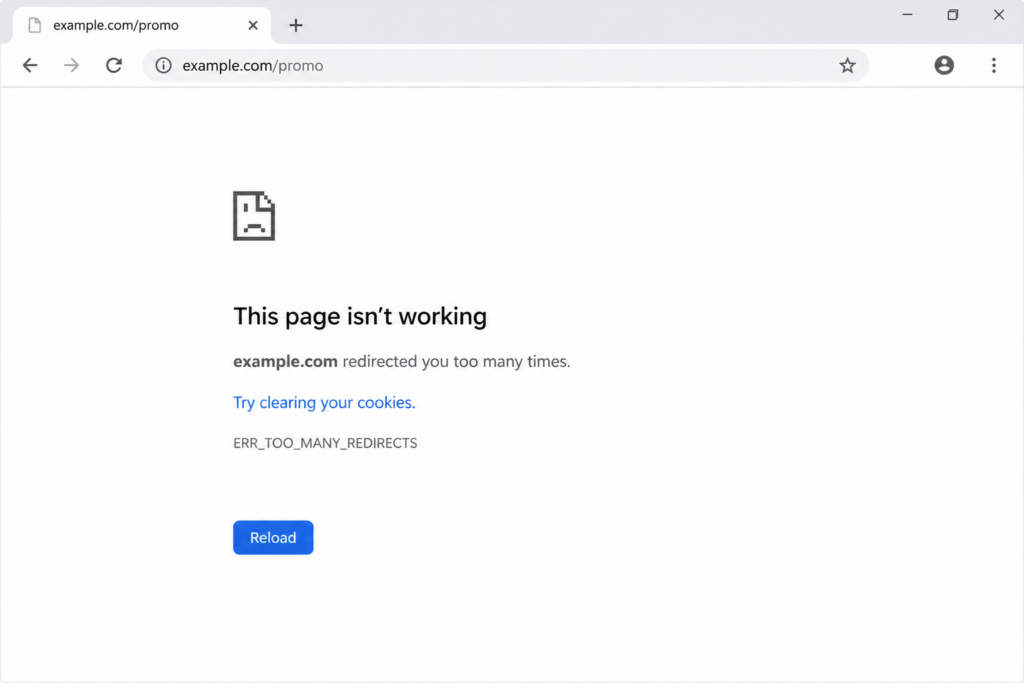
Two layers each redirect to the other, so the browser never reaches a final page.
Typical causes:
- HTTP ↔ HTTPS misconfiguration. The server redirects HTTP to HTTPS while something else redirects HTTPS back to HTTP — an endless ping-pong. This is the most common culprit.
- WordPress URL mismatch. The WordPress Address and Site Address settings (or the database
siteurl/homevalues) don’t match the real domain or protocol, sending the browser in circles. - A misconfigured
.htaccessor rewrite rule that redirects a URL back to itself. - A plugin or CDN layer (a security/SSL plugin, or a CDN like Cloudflare set to “Flexible” SSL) issuing its own conflicting redirect.
- Corrupted cookies, which can trap a user in a login redirect loop specifically.
How to fix a 302 loop:
- Map the chain. Use a redirect checker or
curl -IL https://yourdomain.comto see every hop and spot where two URLs point back at each other. - Fix the HTTP/HTTPS rule. Make sure only one layer forces HTTPS, and that your CDN/SSL mode (e.g., Cloudflare set to “Full,” not “Flexible”) agrees with the origin.
- In WordPress, confirm the site URLs. You can hard-set them in
wp-config.phpto override the database:
php
   define( 'WP_HOME', 'https://yourdomain.com' );
define( 'WP_SITEURL', 'https://yourdomain.com' );Code language: JavaScript (javascript)- Restore or audit
.htaccess. Replace it with the default WordPress rules and re-add custom redirects one at a time. - Rule out plugins. Temporarily disable redirect/SSL/security plugins (rename the
pluginsfolder via FTP) to find the offender. - Clear cookies and cache to break a stale login loop.
How to set a 302 correctly
When a temporary redirect is genuinely what you want, here’s how to issue a clean 302 across common stacks. (For permanent moves, swap to a 301 — see our guide to URL redirection methods.)
Apache (.htaccess) — the R=302 flag, or Redirect which defaults to 302’s permanent sibling, so be explicit:
apache
# Explicit temporary redirect
Redirect 302 /promo /current-sale

# With mod_rewrite
RewriteEngine On
RewriteRule ^promo$ /current-sale [R=302,L]Code language: PHP (php)
Nginx:
nginx
location = /promo {
    return 302 /current-sale;
}Code language: PHP (php)
PHP:
php
header( 'Location: /current-sale', true, 302 );
exit;Code language: PHP (php)
WordPress (in a plugin or functions.php):
php
wp_redirect( 'https://yourdomain.com/current-sale', 302 );
exit;Code language: PHP (php)
302 in APIs and HTTP clients
A 302 doesn’t behave the same way for a browser as it does for code calling an API, and that gap is a frequent source of automation bugs. Browsers follow the Location header automatically and silently. HTTP clients and libraries each have their own defaults, so the same 302 can be followed, ignored, or throw an error depending on what’s making the request.
The takeaways for anyone building automation or calling an API: first, a 302 returned to a POST may silently downgrade to a GET in many clients, so if the request method matters, the API should return a 307 (preserve method) or the client should handle the redirect explicitly. Second, when you’re debugging, disabling auto-follow (curl without -L, fetch with redirect: "manual", requests with allow_redirects=False) lets you see the real 302 and its target instead of only the final response.
And third, REST APIs generally shouldn’t use 302 for routing logic clients depend on — if a resource genuinely lives elsewhere, a clearer code (307/308, or a 200 with the data) usually serves automated consumers better than a temporary redirect they might not follow as you expect.
How to check whether a URL returns a 302
Don’t trust the browser alone — it follows redirects automatically and can mask what’s really happening. Inspect the raw response instead:
Command line: curl -I https://yourdomain.com/promo shows the status line (HTTP/1.1 302 Found) and the Location header. Add -L to follow the whole chain.
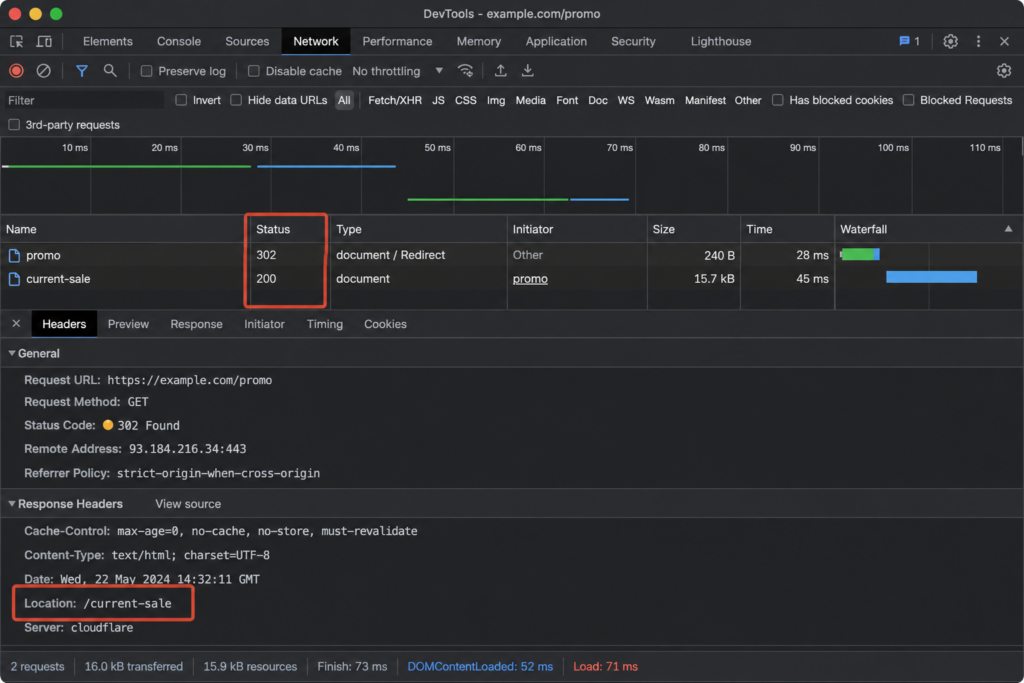
Browser DevTools: open the Network tab, reload, and look at the status column — a 302 appears before the final 200, with the Location header in the request details.
Online redirect checkers: these report every hop from a neutral server (no browser cache), which is ideal for spotting loops and chains.
HTTP 302 and SEO: the practical summary
Pulling the SEO threads together: a 302 keeps the original URL as the indexed, canonical address. Google has grown lenient and often treats long-lived 302s like 301s, passing ranking signals either way — but you should never rely on that, because other search engines and your own audit tools still read the code literally. Use 302 only for redirects you intend to remove. The moment a move becomes permanent, switch it to a 301 so the destination URL inherits the rankings cleanly. And keep redirects flat — chains and loops cost speed and dilute signals even when each individual hop is “correct.”
For context on how 302 sits among the other status codes your site can return, see our guides to the 404 Not Found error and the HTTP 500 Internal Server Error.
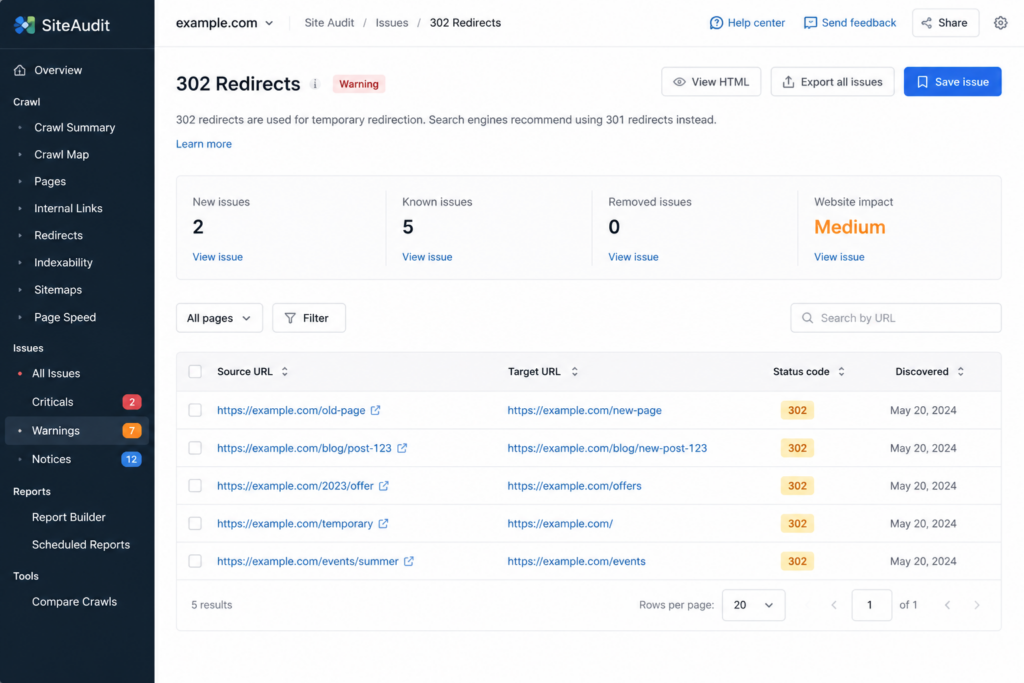
Quick answers about the HTTP 302 status code.
?Is HTTP 302 an error?
?What’s the difference between 302 and 301?
?Does a 302 redirect hurt SEO?
?What does “302 Moved Temporarily” mean?
?302 vs 307 — which should I use?
?How do I fix a 302 redirect loop?
Clean 301/302 rules, free SSL, and an easy-to-edit .htaccess — without redirect loops or SEO leaks. Copahost gives you the control and support to set up redirects the right way.
Explore Copahost hostingConclusion
HTTP 302 is one of the most useful — and most misused — status codes on the web. At heart it’s simple: a temporary redirect that keeps the original URL as the canonical one. Get that intent right and it powers A/B tests, maintenance pages, and campaigns cleanly. Get it wrong — a 302 on a permanent move, or two 302s pointing at each other — and you either bleed SEO value silently or take the whole page down with a redirect loop. When in doubt, ask the one question that decides everything: is this change temporary or permanent? Temporary is a 302 (or 307); permanent is a 301 (or 308).
Running redirects on your own site and want a host that makes SSL, .htaccess, and clean configuration easy? Explore Copahost’s web hosting — built for sites that need to get their redirects right.
