
You change a URL, move to a new domain, or finally switch your site to HTTPS — and you need every visitor, every bookmark, and every search engine to land on the new address without losing the traffic and rankings you’ve built. That’s the job of the HTTP 301. Used correctly, it’s the single most important redirect for SEO. Used carelessly, it’s almost impossible to undo.
This guide covers HTTP 301 from every angle: what it actually means, the different labels you’ll see it under, how it compares to 302, 307, and 308, why it’s so central to SEO, the mistakes that quietly cost rankings, and exactly how to set one up on Apache, Nginx, PHP, and WordPress.
Quick answer: HTTP 301 means “Moved Permanently.” It tells browsers and search engines that a URL has moved to a new address for good — update your records, send everyone to the new URL, and transfer the old page’s ranking signals to it. Unlike a temporary 302 redirect, the original URL is not expected to come back.
Table of Contents
What HTTP 301 actually means
301 belongs to the 3xx family of HTTP status codes, which all handle redirection. Its name is “Moved Permanently,” and it signals that the requested resource now lives permanently at a different URL.
The mechanics are simple. When a browser requests the old URL, the server responds with a 301 status and a Location header pointing to the new address:
GET /old-page HTTP/1.1
Host: example.com

HTTP/1.1 301 Moved Permanently
Location: https://example.com/new-pageCode language: HTTP (http)The browser reads the Location header and automatically requests the new URL, landing the visitor on the right page. But a 301 does something a temporary redirect doesn’t: because the move is permanent, the browser caches it and remembers it, going straight to the new URL on future visits without even asking the server. Search engines do the equivalent — they update their index to the new URL and treat it as the canonical address.
That permanence is the whole point, and it cuts both ways: it’s exactly what makes a 301 powerful for SEO, and exactly what makes it hard to reverse once it’s out in the wild.
A bit of history rounds out the picture. The 301 has been part of HTTP since the very beginning — it was defined in HTTP/1.0 (RFC 1945, 1996), carried forward in HTTP/1.1 (RFC 2616, 1999), and is documented today in the current specification, RFC 9110 (2022). One wrinkle followed it the whole way: the spec said a 301 should preserve the request method, but older clients often switched a POST to a GET anyway. To remove that ambiguity, 308 Permanent Redirect was later introduced as a stricter 301 that guarantees the method and body are preserved — which is why, decades on, both codes still exist side by side.
Why the 301 matters so much for SEO
If you only remember one thing about the 301, make it this: a 301 passes the old page’s ranking signals — its “link equity” — to the new URL. When other sites link to your old address, a 301 funnels that authority to the new one, so you keep the rankings you earned instead of starting over.
A few specifics worth getting right:
- How much equity transfers? Close to all of it. Google has confirmed that a 301 passes essentially full PageRank to the destination. The old belief that redirects cost “about 15%” of link equity has been publicly retired by Google — for a single, direct 301, the loss is negligible.
- The chain caveat. That “near-100%” assumes a single hop. Every extra step in a chain (A → B → C) adds latency and can erode signals, so always redirect straight from the old URL to the final one.
- It’s not instant. Search engines need to recrawl the old URL to register the move, so rankings transfer over days or weeks, not minutes. A temporary dip during a migration is normal.
- Don’t rely on redirects alone. Update your internal links to point directly at the new URLs, and submit an updated sitemap so search engines discover the changes faster.
This is also why using a 302 (temporary) for a permanent move is the single most common technical SEO mistake in site migrations: the destination URL never inherits the authority, the old URL eventually drops, and both underperform.
301 vs 302, 307, and 308
The 301 only makes sense next to its siblings. The two axes that matter are permanent vs temporary and whether the HTTP method is preserved (does a POST stay a POST?).
- 301 Moved Permanently — permanent. The standard choice for a permanent move. Historically, some older clients switched POST to GET on a 301.
- 302 Found — temporary. The original URL stays canonical; use it only for genuine short-term detours. (See our full HTTP 302 guide.)
- 307 Temporary Redirect — temporary, but guarantees the method is preserved (a POST stays a POST).
- 308 Permanent Redirect — the modern, strict version of the 301: permanent and method-preserving. Google treats it like a 301 for ranking purposes. Use it when a permanent redirect must keep the original HTTP method (APIs, form submissions, login flows).
For the overwhelming majority of cases — changing a page’s URL, moving domains, switching to HTTPS — 301 is the correct choice. Reach for 308 only when preserving the request method genuinely matters. The choice between the two permanent-vs-temporary options trips up most people, so we broke it down in full in our 301 vs 302 redirect guide.
The variations: every way you’ll see a 301
Like other status codes, the 301 appears under several labels depending on the server, the HTTP version, and the tool you’re using. They all mean the same thing — a permanent redirect — but recognizing each saves confusion.
A quick contrast so you don’t confuse neighbors: 301 is permanent, while a “Moved Temporarily” / “302 Found” label means the temporary sibling — a different code with very different SEO behavior.
When to use a 301
A 301 is the right tool whenever a change is permanent. The most common cases:
The common thread: in every case, the old URL is gone for good and you want its authority to move with it.
When NOT to use a 301 (common mistakes)
How to set up a 301 correctly
Server-side redirects are the gold standard — they’re faster and more reliable than meta-refresh or JavaScript redirects, and search engines handle them best. Here’s how to issue a clean 301 across common stacks. (For a broader walkthrough, see our guide to URL redirection methods.)
Apache (.htaccess) — a single redirect, plus the two most common site-wide rules:
# Single page
Redirect 301 /old-page /new-page

# Force HTTPS
RewriteEngine On
RewriteCond %{HTTPS} off
RewriteRule ^(.*)$ https://%{HTTP_HOST}%{REQUEST_URI} [L,R=301]

# Force non-www (www → root domain)
RewriteCond %{HTTP_HOST} ^www\.(.*)$ [NC]
RewriteRule ^(.*)$ https://%1/$1 [L,R=301]Code language: PHP (php)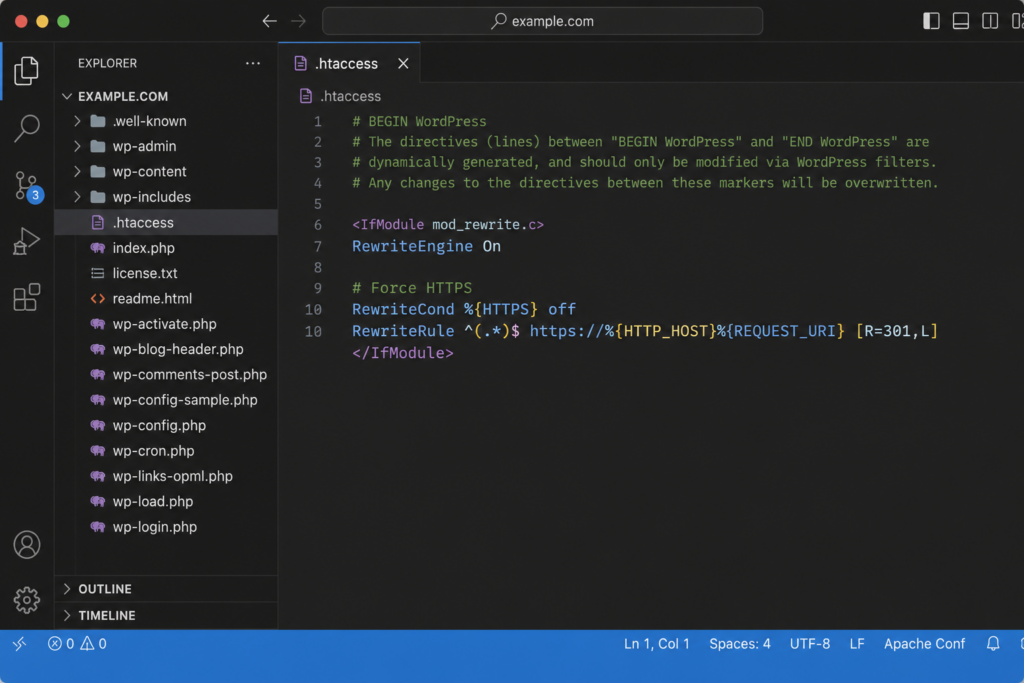
Nginx:
# Single page
location = /old-page {
    return 301 /new-page;
}

# Force HTTPS for the whole server block
server {
    listen 80;
    server_name example.com www.example.com;
    return 301 https://example.com$request_uri;
}Code language: PHP (php)
PHP:
header( 'HTTP/1.1 301 Moved Permanently' );
header( 'Location: https://example.com/new-page' );
exit;Code language: PHP (php)
WordPress — the simplest route is a plugin like Redirection or Rank Math/Yoast redirect managers, which write 301s without touching files. In code:
wp_redirect( 'https://example.com/new-page', 301 );
exit;Code language: PHP (php)
One trap catches developers working in code: many frameworks default to a 302 if you don’t specify the status. In Express, res.redirect('/new-page') sends a 302 — you have to write res.redirect(301, '/new-page') to make it permanent. The same applies across most stacks (Node’s http, Laravel, Django, Rails helpers): the “redirect” shortcut is often temporary unless you pass the code explicitly. When the move is permanent, always state the 301 — an accidental 302 is the most common way a permanent redirect silently fails to pass its SEO value.
After a domain change, also remember that DNS needs to point to the right place — and changes take time to propagate across the internet before everyone sees the new site.
How to reverse a 301 (or switch a 302 to a 301)
Because browsers cache a 301 so aggressively, changing your mind later is the hard part. The steps depend on which direction
you’re going:
You can control how long a 301 stays cached with the Cache-Control header. By default a 301 may be cached for a long time, but you can cap it — useful when you want a permanent redirect that’s still reasonably easy to undo later:
HTTP/1.1 301 Moved Permanently
Location: https://example.com/new-page
Cache-Control: max-age=86400Code language: HTTP (http)
That max-age=86400 limits caching to one day, so a future change propagates within 24 hours instead of lingering indefinitely. The takeaway: a 301 is permanent by intent, but Cache-Control lets you decide how stubborn that permanence is in practice.
How to verify a 301
Don’t trust the browser alone — it follows and caches redirects, which can hide what’s really happening. Check the raw response:
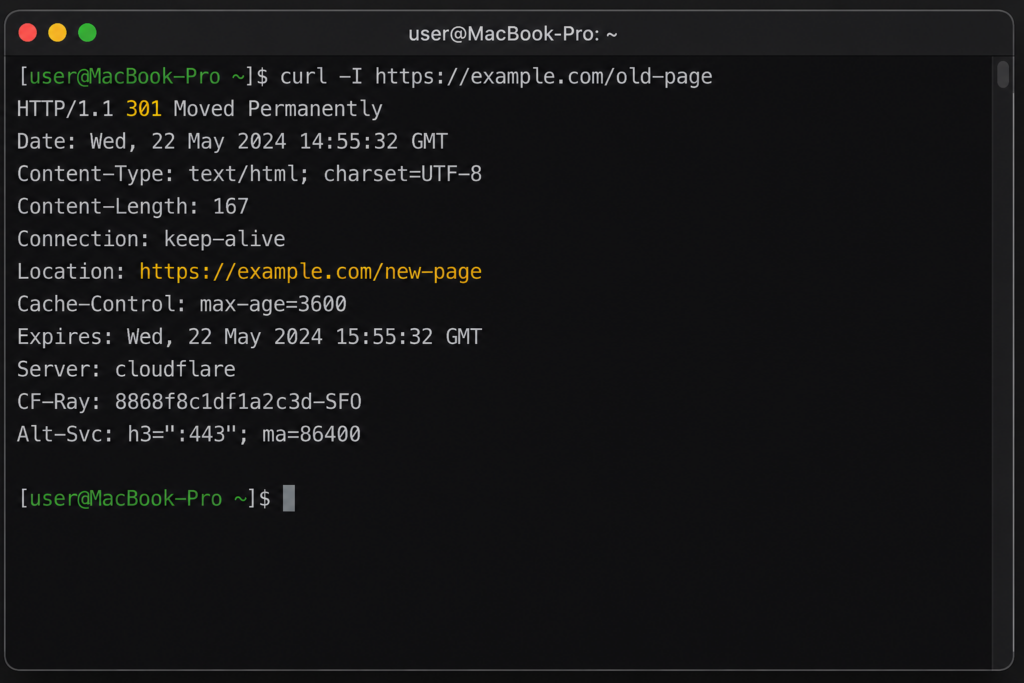
- Command line:
curl -I https://example.com/old-pageshows the status line (HTTP/1.1 301 Moved Permanently) and theLocationheader. Add-Lto follow the full chain and confirm it’s a single hop.
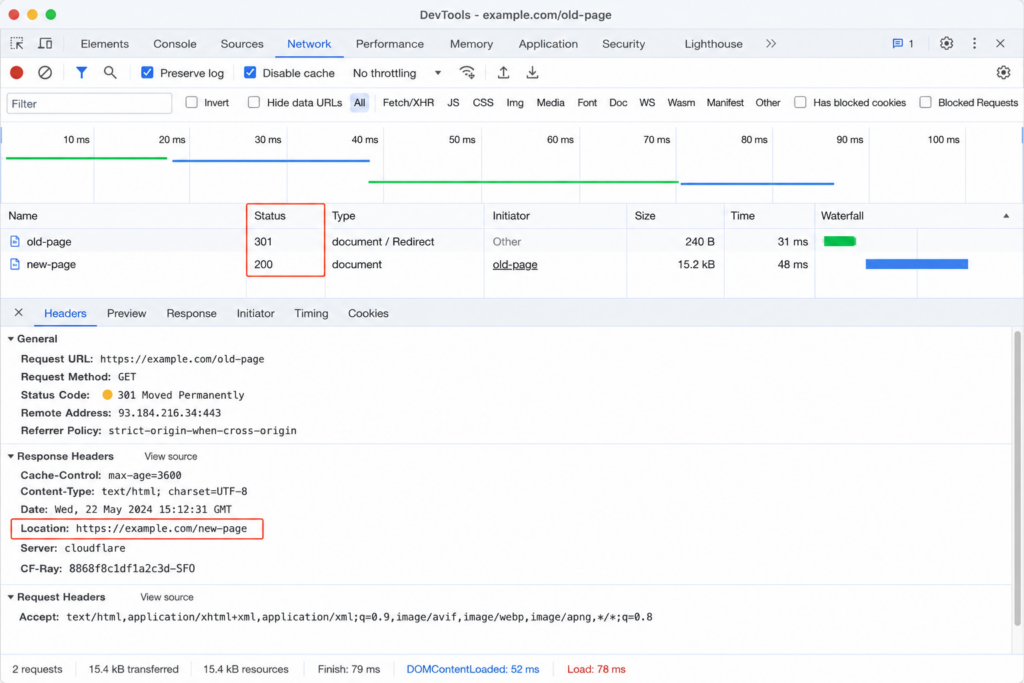
- Browser DevTools: open the Network tab, reload, and look at the status column — the 301 appears before the final 200, with the
Locationheader in the request details. (Tip: enable “Disable cache” so a previously cached 301 doesn’t mislead you.)
- Online redirect checkers: report every hop from a neutral server, ideal for catching chains and loops.
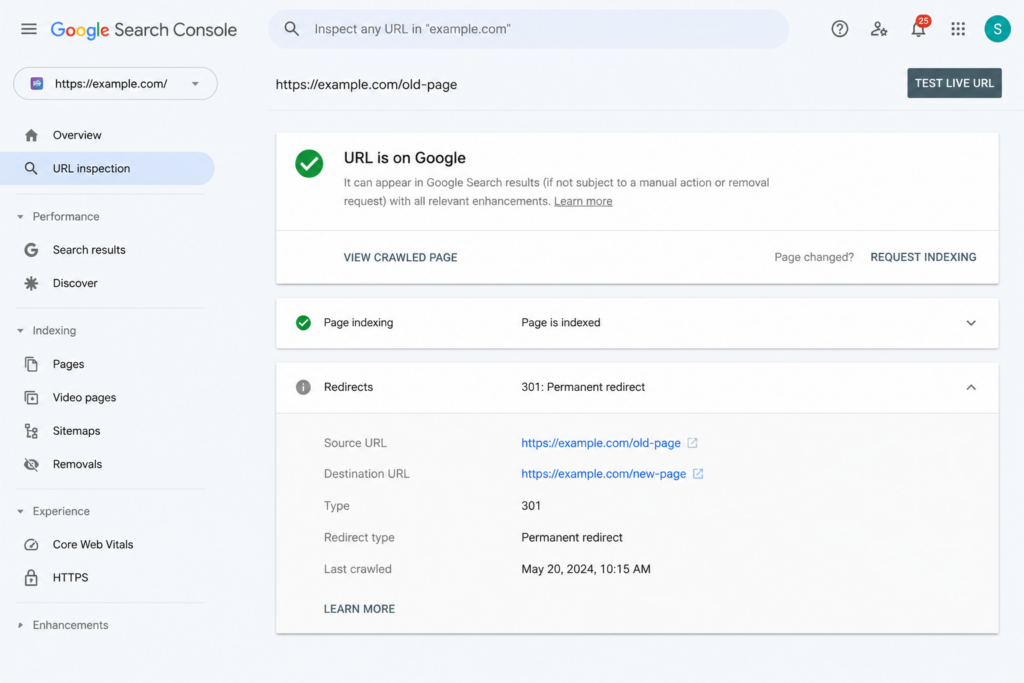
- Google Search Console: after a migration, watch the URL Inspection and indexing reports to confirm Google is registering the new URLs.
Best-practice checklist
Set up clean 301 redirects with easy .htaccess access, free SSL, and support that keeps your rankings intact through any domain or HTTPS move. Copahost makes permanent redirects painless.
Explore Copahost hostingQuick answers about the HTTP 301 status code.
?Is HTTP 301 an error?
?Does a 301 redirect pass SEO value?
?What’s the difference between a 301 and a 302?
?301 vs 308 — which should I use?
?Why is a 301 so hard to undo?
?How long until a 301 takes effect for SEO?
Conclusion
The HTTP 301 is the workhorse of permanent redirects and the backbone of any clean site migration. Its value is simple: it sends people and search engines to the new URL and carries the old page’s authority with it — close to 100% of it, in a single hop. The flip side is permanence: browsers cache a 301 so persistently that reversing one is painful, so the golden rule is to use it only when you’re certain the move won’t be undone. Get that right — single hops, relevant targets, updated internal links — and a 301 protects your traffic through any URL change. When the move is only temporary, reach for a 302 instead.
