
Shared hosting is a type of web hosting where many websites share a single server — and its resources, like CPU, memory, and storage. Splitting the server’s cost across many users makes it the cheapest and simplest way to put a site online, which is why it’s the most popular choice for beginners and small websites.
It’s almost always the starting point for anyone launching their first website. But “sharing a server with other sites” raises fair questions: is it safe? will other sites slow mine down? when does it stop being enough? This guide answers all of that — what shared hosting is, how it works, its real pros and cons, how to pick a good plan, and exactly when it’s time to move up. If you want the big-picture view of every hosting type first, see our guide on what web hosting is.
Table of Contents
What is shared hosting?
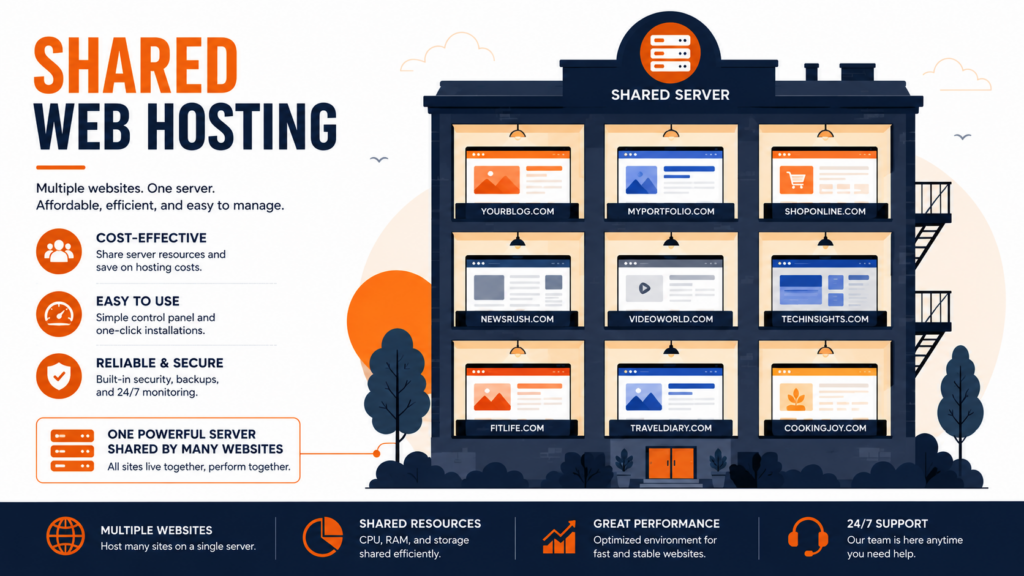
In shared hosting, a single powerful server is split among many customers, and each one hosts their website on it. All those sites use the same hardware — the same processor, memory, and connection — but each customer has their own separate account, isolated from the others, with their own space, files, and control panel.
The best way to picture it is an apartment building. Many residents share the same building: the same structure, the same plumbing and power lines, the same land. Each has their own apartment, but the building’s resources are shared. It’s cheap because the cost of maintaining the structure is divided among everyone — and that’s exactly why shared hosting is so affordable.
The provider handles everything behind the scenes: keeping the server online and updated, managing security, performing maintenance, and giving you a control panel (usually cPanel) to run your site without any technical knowledge. You only worry about your website; the rest is the host’s job.
How does shared hosting work?
The core principle is resource sharing. The server has a total amount of processing power (CPU), memory (RAM), disk space, and bandwidth, and that capacity is distributed across all the hosted accounts. Each plan defines the slice of resources you’re entitled to — how much space, how much traffic, how many email accounts and databases.
When a visitor opens your site, the server processes the request and delivers the pages — exactly like any hosting. The difference is that the same server is doing this for dozens (or hundreds) of other sites at the same time, splitting its capacity among them. Most of the time this works perfectly well, because most small sites don’t use all their resources at once.
Each account stays isolated from the others: one customer can’t see another’s files, and each has their own panel and credentials. That data isolation is what keeps things private — although, as we’ll see, the performance isolation is weaker than on a VPS.
One more technical detail worth knowing: on shared hosting you usually also share the server’s IP address with the other sites on it (unlike a VPS, which can have a dedicated IP). For most sites this causes no problem at all. But because an IP’s reputation is shared, a “neighbor” misbehaving (sending spam, for example) could, in rare cases, affect the IP’s reputation for everyone. Good providers monitor this closely to prevent it.
What’s included in a shared hosting plan
Although it’s the most affordable type, a good shared hosting plan comes well equipped. Here’s what you typically get:
Exactly what’s included varies by plan, so it’s always worth checking the feature list before buying — especially whether SSL, backups, and email come at no extra cost.
Managing your site: the control panel
One of the things that makes shared hosting so beginner-friendly is the control panel — a visual interface that lets you manage everything without touching the command line. The two most common are cPanel (the best known worldwide) and DirectAdmin (fast, simple, and increasingly popular).
Through the panel you can create email accounts at your domain, upload and edit files in the file manager, set up databases, install WordPress and other apps with one click, manage backups, and handle domains and security settings. For someone launching their first site, this visual management is what turns “running a server” into a handful of clicks.
Pros of shared hosting
Shared hosting became the default starting point for good reasons. The main advantages:
The low price is the biggest draw: because the server cost is split among many customers, it’s the cheapest way to get a site online — typically just a few dollars a month. Ease of use comes next: the server arrives pre-configured and the control panel (cPanel) is simple and intuitive, with no technical knowledge required.
Maintenance is on the provider: updates, security, and server uptime aren’t your problem. And it usually comes with ready-to-use features: email accounts at your domain, one-click WordPress installation, a free SSL certificate, and databases — all included in the plan. Learn more about the SSL certificate that secures your site.
Cons of shared hosting
Being honest, the model has real limitations — and knowing them upfront saves you frustration later. The main ones:
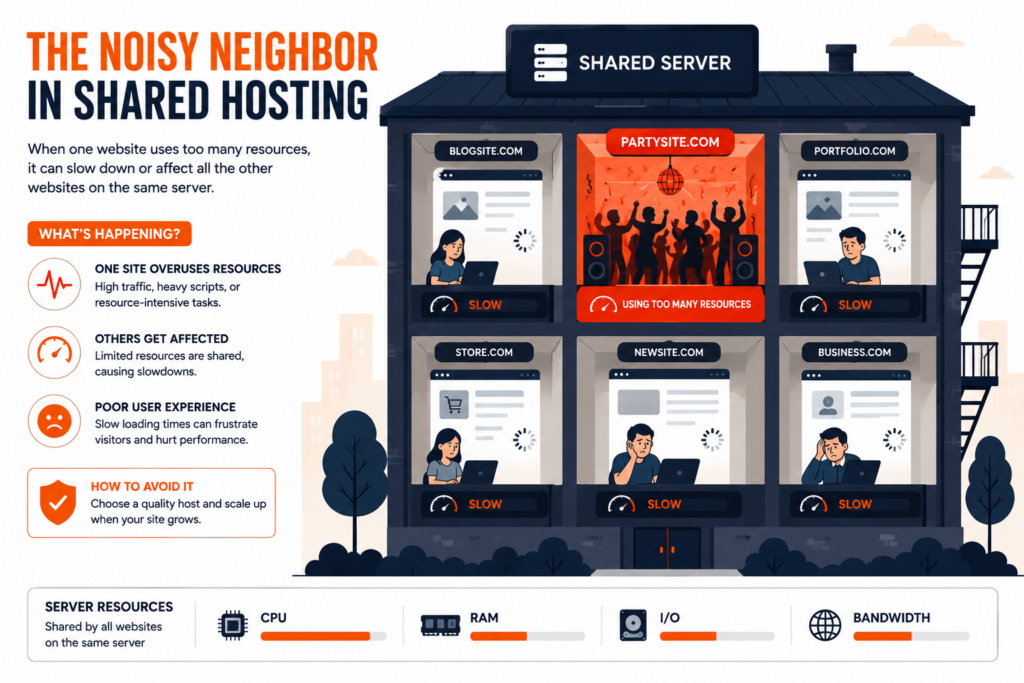
The most important is the “noisy neighbor”: because resources are shared, if another site on the same server has a traffic spike or eats up a lot of processing, it can slow the others (including yours) for a while. There are also resource limits: plans cap CPU, memory, and processes, and hitting those caps can make your site slow or throw errors. Control is limited: you don’t get root access or the ability to change deep server settings — you’re restricted to what the panel offers. And performance is more modest than a VPS or dedicated server — fine for small and medium sites, but not for demanding projects.
How much does shared hosting cost?
Shared hosting is the cheapest type of hosting, precisely because the server’s cost is split among many customers. In the US, plans typically run from about $2 to $10 per month, depending on the provider and what’s included. A few things make the price move within that range:
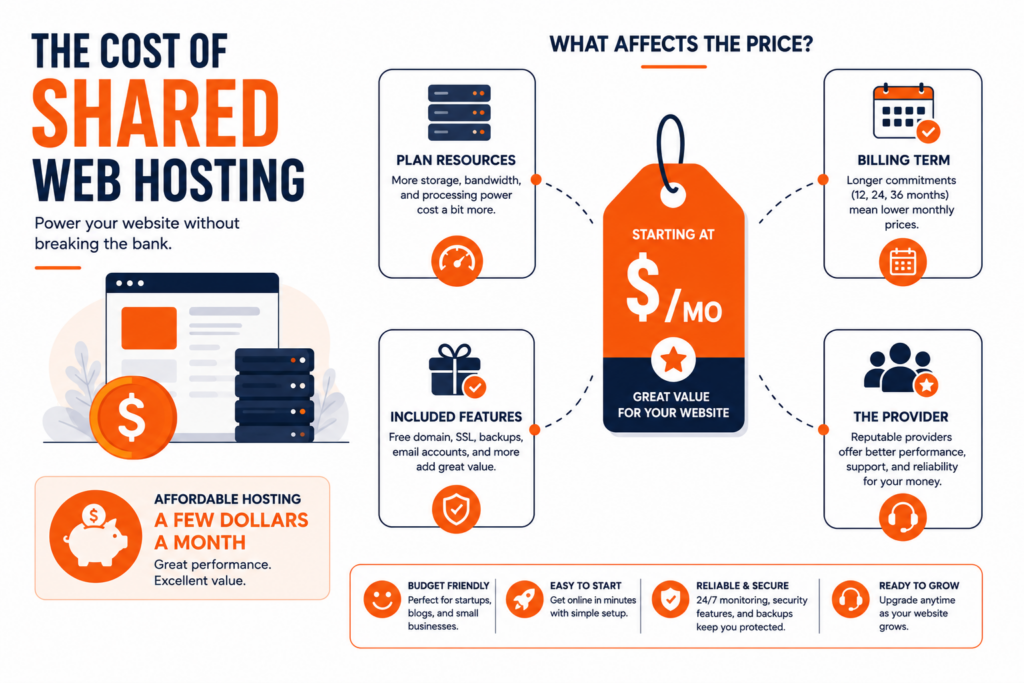
Here’s the catch to watch for: many hosts advertise a very low promotional first-term price that jumps sharply on renewal. A plan at “$2.99/mo” can renew at two or three times that. Before buying, always check the renewal rate, not just the introductory one — that’s the cost you’ll actually pay long term. Add a domain name (around $10–15/year, often free the first year) and you have the full picture of what it costs to put a site online on shared hosting.
Is shared hosting safe?
A common question: is sharing a server with other sites risky? The answer is that, with a good provider, yes, it’s safe for the vast majority of websites. Accounts are isolated from each other, and providers apply layers of protection — firewall, monitoring, anti-malware, updates — at the server level. Features like a free SSL certificate (which enables HTTPS) usually come included and protect the data exchanged with visitors.
What’s worth understanding is that, because it’s a shared environment, the level of isolation is lower than on a VPS — where you get your own virtual environment. For a blog, a business site, or a small store, the security of shared hosting from a serious provider is perfectly adequate. For projects that handle highly sensitive data or require maximum isolation, that’s when a VPS or dedicated server is worth considering.
Shared hosting vs VPS: what’s the difference?
This is the comparison everyone makes when deciding. The core difference is resource isolation. In shared hosting, resources are split among everyone and one site’s performance can affect another. In a VPS (Virtual Private Server), you get a slice of resources reserved just for you, with root access and far more control — back to the analogy, it’s the difference between sharing an apartment building (shared) and owning your own house’s full floor (VPS).
In practice: shared hosting is the ideal starting point for its price and simplicity; a VPS is the next step up, for when your site grows and needs guaranteed resources. There’s no “better” in absolute terms — there’s what’s right for each stage of your project. Many shared plans include CDN integration — read our guide on what a CDN is.
Shared hosting vs other hosting types
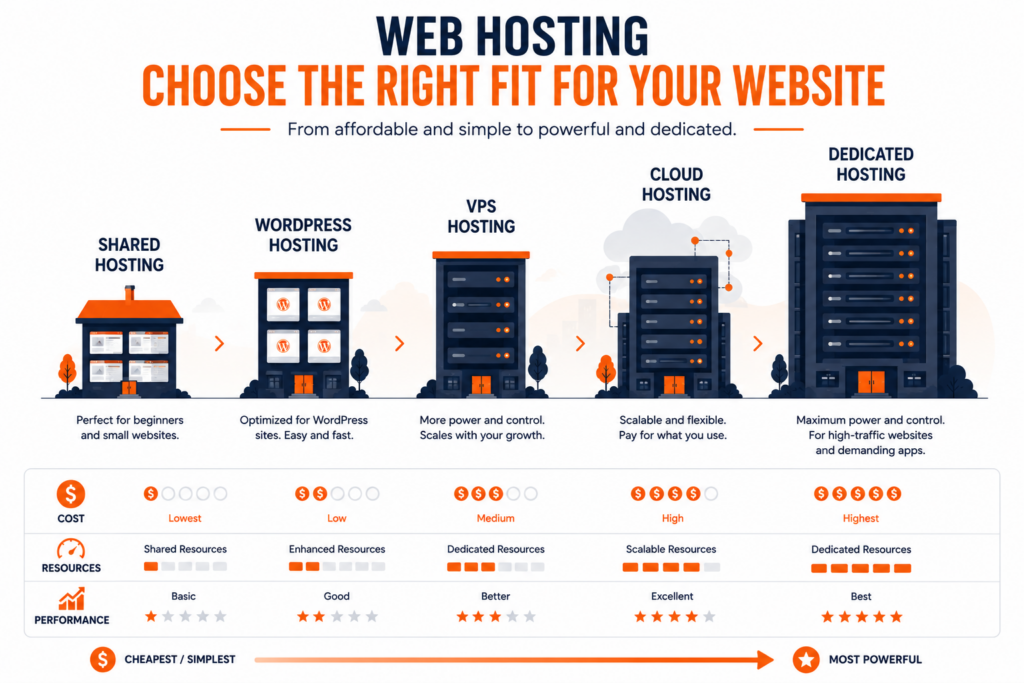
VPS is the most common comparison, but it helps to see where shared hosting sits against every main type. Each one trades cost for power and control:
The takeaway: shared hosting is the entry point — the cheapest and simplest — while the other types add power, isolation, or scalability as your needs grow. For a full breakdown of each one, see our guide on what web hosting is, which covers every type in detail.
Who is shared hosting for?
Shared hosting is the right choice for most sites that are just starting out. It serves these cases very well:
For a blog or personal site with low to moderate traffic, a small business site (the classic “about, services, contact” page), a portfolio, a small online store in its early phase, a landing page, or for anyone learning to build sites who wants a simple, cheap environment to start. In short: if your site has low or medium traffic and doesn’t need advanced technical configuration, shared hosting is probably all you need — without paying extra for resources you won’t use.
A fair warning on the other side: larger online stores and high-traffic sites shouldn’t stay on shared hosting for long. A store doing real sales volume processes payments, runs many database queries, and can’t go down during a campaign — needs that call for the guaranteed resources of a VPS or cloud. In the early phase, with few visits, shared works well; as it grows, watch for the signs it’s time to move up.
When to upgrade from shared hosting
There are clear signals that your site has outgrown shared hosting. Consider upgrading (usually to a VPS) when:
- The site is slow even after optimization (cache, images, plugins), a sign it’s short on server resources.
- You get resource limit warnings (CPU, memory, or processes) in your panel.
- The site goes down during traffic spikes (promotions, campaigns, seasonal peaks).
- You need root access or to install specific software the shared environment doesn’t allow.
- Traffic has grown steadily and performance no longer keeps up.
If several of these sound familiar, it’s worth reading about VPS hosting and weighing the next step. If none apply and your site is small, shared hosting is still the best value for your case.
Tips to get the most out of shared hosting
You can get noticeably better performance from a shared plan with a few good habits — and reduce the chance of being affected by a “noisy neighbor”:
These small steps go a long way on shared hosting, and often delay the need to upgrade to a more expensive plan.
How to choose a good shared hosting plan
Not all shared hosting is equal — and price shouldn’t be the only factor. Before buying, weigh these points that make a real difference in performance and peace of mind:
- Disk space and SSD/NVMe storage: check how much space the plan offers and whether storage is on fast SSD or NVMe (far quicker than old HDD). The type of storage matters for speed — learn about SSD vs NVMe.
- Bandwidth: look at the monthly traffic allowance and whether there’s headroom for your peaks.
- Uptime guarantee: look for a 99.9% guarantee — the professional standard, meaning at most about 8h45 of downtime a year.
- Support: confirm there’s genuine 24/7 support via chat or tickets, with people who can actually solve problems.
- Included features: email accounts, free SSL, backups, and a one-click installer should come in the plan, with no hidden extra cost.
- Renewal price: the most overlooked point — check what the plan renews at, not just the promotional first-term price.
That last point deserves emphasis: many hosts advertise a very low first-term price that jumps sharply on renewal. Always check the renewal rate — it’s the cost you’ll really pay long term.
One more thing you may come across: most shared hosting runs on Linux, which is the standard for the vast majority of websites (including WordPress, Joomla, and PHP-based sites). Windows shared hosting also exists, but it’s only needed for specific technologies like ASP.NET or MSSQL databases. Unless your project specifically requires Windows, Linux shared hosting is the right — and usually cheaper — choice.
Frequently asked questions about shared hosting
What is shared hosting in simple terms?
It’s a type of hosting where many websites share the resources of a single server (processing, memory, disk space). By splitting the server’s cost among many customers, it’s the cheapest and simplest option — ideal for beginners. Each site has its own isolated account, but all use the same hardware.
Is shared hosting good?
For most small and medium sites — blogs, business sites, portfolios, small stores — yes, it’s a great option: cheap, easy to use, and maintained by the provider. It stops being ideal only when a site grows large and needs guaranteed resources, at which point a VPS is more suitable.
What’s the difference between shared hosting and VPS?
In shared hosting, resources are split among many sites and one site’s usage can affect the others. In a VPS, you get a portion of resources reserved just for you, with root access and more control. Shared is cheaper and simpler; a VPS offers more performance and isolation at a higher cost.
Can other sites on the same server slow mine down?
It can happen — it’s the “noisy neighbor” effect. If another site on the same server has a usage spike, it may temporarily affect the others. Good providers monitor and limit this to minimize the impact, but it’s a characteristic of the shared model. If it happens often, it may be a sign it’s time to move to a VPS.
Is shared hosting safe?
With a good provider, yes, for most sites. Accounts are isolated from each other, there’s server-level protection (firewall, monitoring, updates), and a free SSL certificate is usually included. Isolation is lower than on a VPS, so projects with highly sensitive data may prefer a more isolated environment.
How much does shared hosting cost?
It’s the cheapest hosting type, typically a few dollars a month — often in the $2–10 range in the US, depending on the provider and the plan’s resources. Watch the renewal price, which is usually different from the promotional rate.
Can I have email at my own domain with shared hosting?
Yes. Most shared hosting plans include email accounts at your domain (like [email protected]), which looks far more professional. Check how many accounts are included in the plan.
Copahost shared hosting combines an affordable price, a free control panel, free SSL, email at your domain, and support that actually helps — the ideal starting point for your first website.
Explore hosting plansConclusion
Shared hosting is, for most sites, the best place to start: it’s the cheapest, simplest option, requires no technical knowledge, and lets the provider handle all the heavy lifting. Its limitations — shared resources and the “noisy neighbor” effect — only become a problem once a site grows significantly, and that’s when moving up to a VPS is the natural path. For the vast majority of blogs, business sites, and small projects, though, it delivers everything you need, with no wasted cost. Weigh your site’s traffic and needs: if they’re modest, shared hosting is probably the smartest choice.
