
FTP meaning is File Transfer Protocol. It’s an internet TCP protocol, used to transfer files between one client computer to a server. Widely used to publish websites, transfer images, backups or any kind of files.
Abhay Bhushan, an MIT student, developed the FTP protocol in the 70s. Abhay created this protocol to transfer files between servers and hosts on ARPANET Network. ARPANET, after some years, originated the internet. In other words, the Internet is an evolution of this network.
Table of Contents
How FTP works
Basically, FTP involves a server and a client. The server delivers files to the client, where the client can download and upload files.
The first step is configuring your client, placing the host, login, password of the Server. This protocol typically used TCP port 21 for communication.
After configuring the credentials, the client will connect to the FTP server and make a “handshake”. So they confirm the connection. The Client can list files, get files or put files.
An FTP server can be either authenticated, with a username and password, or anonymous. With anonymous FTP, there’s no requirement for a login to gain access.
There are many free and anonymous FTP hosts available. For example, public FTP hosts provides Linux distributions.
Ftp meaning: What is SFTP
A similar protocol, but different, is SFTP. This is a Secure Shell (SSH file transfer protocol) based protocol. SFTP is a protocol where the client encrypts the connection.
So that protects both the client and server from data theft. As a conclusion, this is a big advantage.
To work, it requires an SSH server, which is different from a standard FTP Server.
Finally, it’s important to differ SFTP and FTP meaning. As we have clarified, SFTP is not actually an FTP protocol. SFTP is, in fact, the SSH protocol, visually adapted to a file manager screen. Similar to an FTP Client, but within a secure pathway.
| Feature |
FTP |
SFTP |
FTPS |
|---|---|---|---|
| Full name | File Transfer Protocol | SSH File Transfer Protocol | FTP Secure (FTP over SSL/TLS) |
| Based on | Original FTP standard | SSH protocol | FTP + SSL/TLS layer |
| Default port | 21 (+ 20 for data) | 22 | 21 / 990 (implicit) |
| Encryption | ✕ None (plain text) | ✓ Full (SSH) | ✓ Full (SSL/TLS) |
| Single connection | ✕ Uses two | ✓ Yes | ✕ Uses two |
| Firewall-friendly | ✕ Often problematic | ✓ Easy (one port) | ~ Needs config |
| Authentication | User / password | Password or SSH keys | User / password + certificates |
| Best for | Legacy / internal use only | Secure transfers (recommended) | Compliance with FTP systems |
Is FTP secure?
When FTP was designed in the 1970s, security was not a concern — the early network connected a handful of trusted research computers. That legacy still shows today: plain FTP performs no encryption whatsoever, so credentials and file contents travel across the network in readable form.
On a shared or public network, this makes FTP vulnerable to packet sniffing and man-in-the-middle attacks. For this reason, the industry has largely moved to its secure successors. SFTP encrypts the connection through SSH (the same protocol behind port 22), while FTPS adds an SSL/TLS layer on top of traditional FTP.
Today, plain FTP should be reserved for non-sensitive transfers on trusted internal networks only.
Meaning of FTP Clients
In order to access an FTP server, you need a FTP client. Following that, just input the FTP host, username, and password. Usually, the FTP port is 21. Some servers can work on different ports.
With an FTP Client, the user can upload or download files to a server. This is a simple software that you can install on your PC. Then, you must place the server hostname, login, and password and click Connect. Afterward, you are ready to send and receive files from the server.
There are many nice and free FTP clients available for Windows. There are also Web FTP Clients like cPanel.
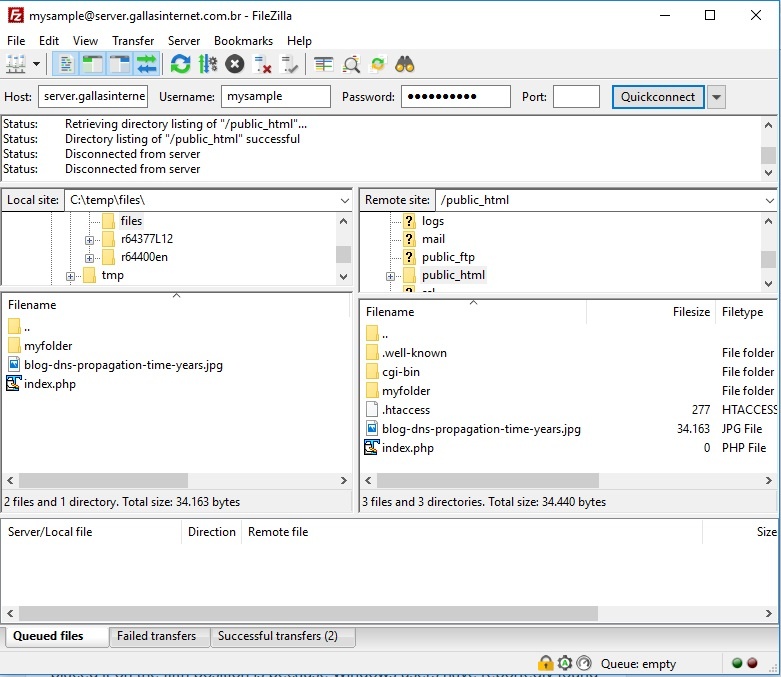
FileZilla is the most used, complete and robust FTP client. This is an open-source software under the GPL license.
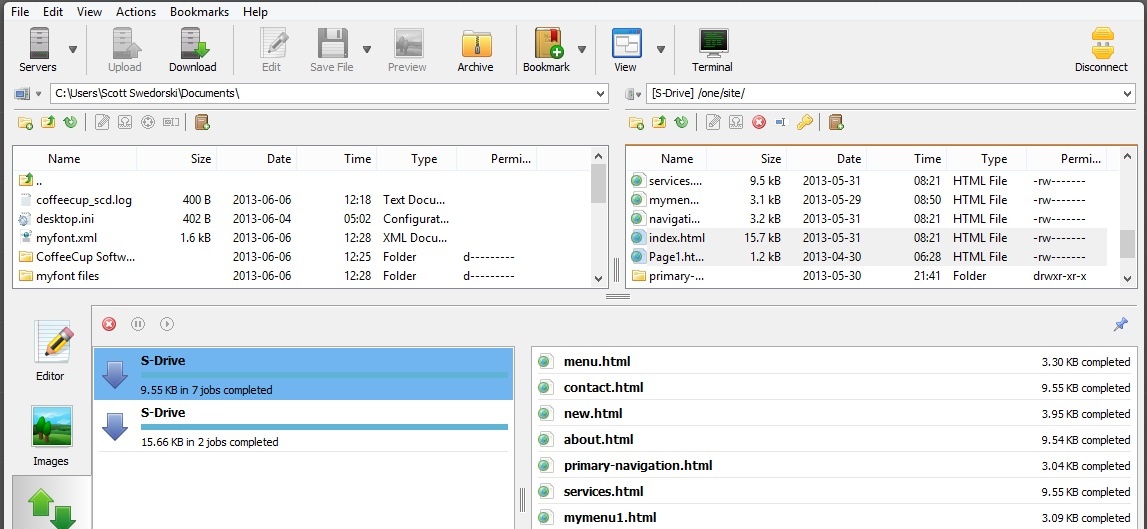
CoffeeCup Free FTP is also a nice option. It’s free as well.
The most popular FTP clients
- FileZilla: FileZilla is a free and open-source FTP client available for Windows, macOS, and Linux. It offers a user-friendly interface, supports FTP, FTPS, and SFTP protocols, and provides features like drag-and-drop file transfers, site manager for saving connection details, and remote file editing.
- WinSCP: WinSCP is a free and open-source FTP client for Windows. It supports FTP, SFTP, and SCP protocols and provides a dual-pane interface for easy file transfer and synchronization. WinSCP offers features like directory synchronization, remote text file editing, and scripting capabilities.
- Cyberduck: is a free FTP client available for Windows and macOS. It supports FTP, SFTP, WebDAV, and other protocols. Cyberduck offers a clean and intuitive interface, supports drag-and-drop file transfers. Also, it integrates with external editors for remote file editing.
- Transmit: Transmit is a popular FTP client designed specifically for macOS. It supports FTP, SFTP, WebDAV, and Amazon S3 protocols. Transmit offers a visually appealing interface, features like syncing, batch file transfers, and remote file editing using external editors. Despite the name, Transmit is unrelated to the general concept of data transmission — it is simply the brand name of this macOS client.
- Core FTP: Core FTP is a Windows-based FTP client that offers both a free version and a paid version with additional features. It supports FTP, FTPS, and SFTP protocols and provides a straightforward interface with features. For example, drag-and-drop transfers, file encryption, and scheduling.
These are just a few examples of widely used FTP clients. There are many other options available based on specific requirements and platform preferences.
FTP Commands
Basically, the client FTP application will connect to the FTP server. Then, it will authenticate. The protocol uses command lines to send commands to the server.
There are several commands that the FTP client uses to talk to the server. The most common are:
| Command | What it does | Syntax |
|---|---|---|
| Connection | ||
open | Opens a connection to an FTP server | open ftp.example.com |
user | Specifies the username for authentication | user username |
pass | Specifies the password for authentication | pass password |
| Navigation | ||
cd / cwd | Changes the current working directory | cd directory_name |
ls / dir | Lists the contents of the current directory | ls |
| File transfer | ||
get | Downloads a file from the server to your machine | get remote_file local_file |
put | Uploads a file from your machine to the server | put local_file remote_file |
| File management | ||
delete / del | Deletes a file on the FTP server | delete file_name |
mkdir | Creates a new directory on the server | mkdir directory_name |
rmdir | Deletes a directory on the server | rmdir directory_name |
| Session | ||
bye / quit | Ends the FTP session and closes the connection | bye |
These commands provide a basic set of functionalities to navigate directories, transfer files, and perform other file management operations. The specific commands and their syntax may vary slightly depending on the FTP client and the FTP server you are using.
A Brief History of the FTP Protocol
Abhay Bhushan designed, in the 1970s, the file transfer protocol FTP to transfer files between computers in an internetwork. Alongside the first network applications, it allowed users to have different tasks. It defined the basic commands and formal means which computers communicated. Two different kinds of access existed: direct and indirect.
The first accessed files from a distance as if they were local. It created the idea of no distance. While the latter gets files from a remote host, and uses it locally. They were the first formal versions of the TCP/IP applications.
FTP granted indirect access, and Telnet for direct access to remote hosts. FTP accesses files on another computer to use them locally, and can then transfer them back to their source. The history of FTP is closely tied to the development of TCP/IP itself.
The first version, released in 1971, was RFC 114. An early version of what would become TCP, called Network Control Protocol, or NCP, was the mean used for network traffic. By then, no internet existed, and a predecessor of it was still small, consisting of a few computers used for development.
Following that, several iterations of the refining of the protocol came to be. In July 1972, RFC 354 was published, and with it, the major changes in the protocol. Some of those changes described the model of communication used by the modern TCP, and some of the features of the protocol currently in use.
By August 1973, with the release of RFC 542, the protocol was already very similar to what is in use today. Besides, it ran over an NCP network.
The TCP/IP Era
In June 1980, The RFC 765 was published. It ran over a TCP/IP for the first time. Alongside it, some defining standards for TCP/IP were also published.
The RFC 959, File Transfer Protocol was published in 1985. It made several changes to the 1980 RFC 765. It added several new commands and is the base of our modern FTP protocols nowadays. Since then, releases added other features, but mostly revising the area of security.
On February 1994, RFC 1579 allowed a Firewall-friendly FTP. Later, in September 1998, the RFC 2428 revision allows it to run over IPv6.
Frequently asked questions about FTP
Is FTP secure?
What port does FTP use?
What is the difference between FTP and SFTP?
What is an FTP client?
What is FTP used for?
Conclusion about FTP meaning
FTP stands for File Transfer Protocol, and understanding it means knowing both what it does and where it came from.
For example, the FTP clients have a good-looking interface, to make things easier for the end-user. FTP is one of the most popular internet protocols nowadays. It’s simply the industry standard to transfer files to web hosting servers.
