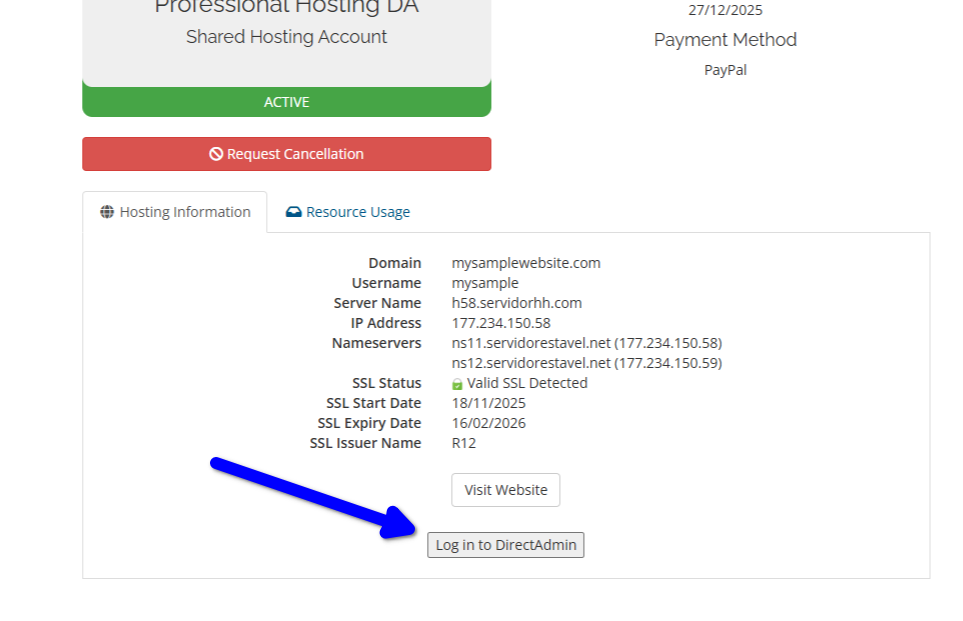
To use an email address, you need to first create the email account in your control panel.
To configure your email account using IMAP in your email app, you must use these details:
Username: [email protected]
Password: Use your email account password.
Incoming server: [server hostname]
IMAP port with SSL: 993 (Preferred)
POP3 port with SSL: 995
Outgoing server: [server hostname]
SMTP port with STARTTLS: 587 (for Apple devices, always use STARTTLS)
SMTP port with SSL: 465
IMAP, POP3, and SMTP require authentication.
All these details are located in your customer control panel, with the exact hostname to use. Important, you should configure IMAP, POP3, and SMTP to use authentication.
Here's a step by step on how to check your IMAP and SMTP servers hostname:
First, log in Copahost control panel using your customer login and password.
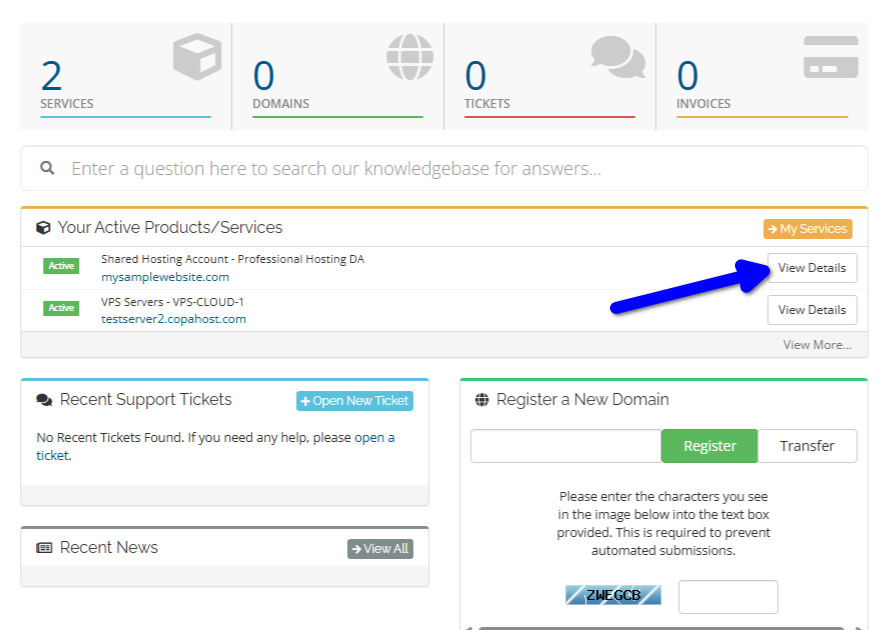
Then, select your hosting account, and click "View details":
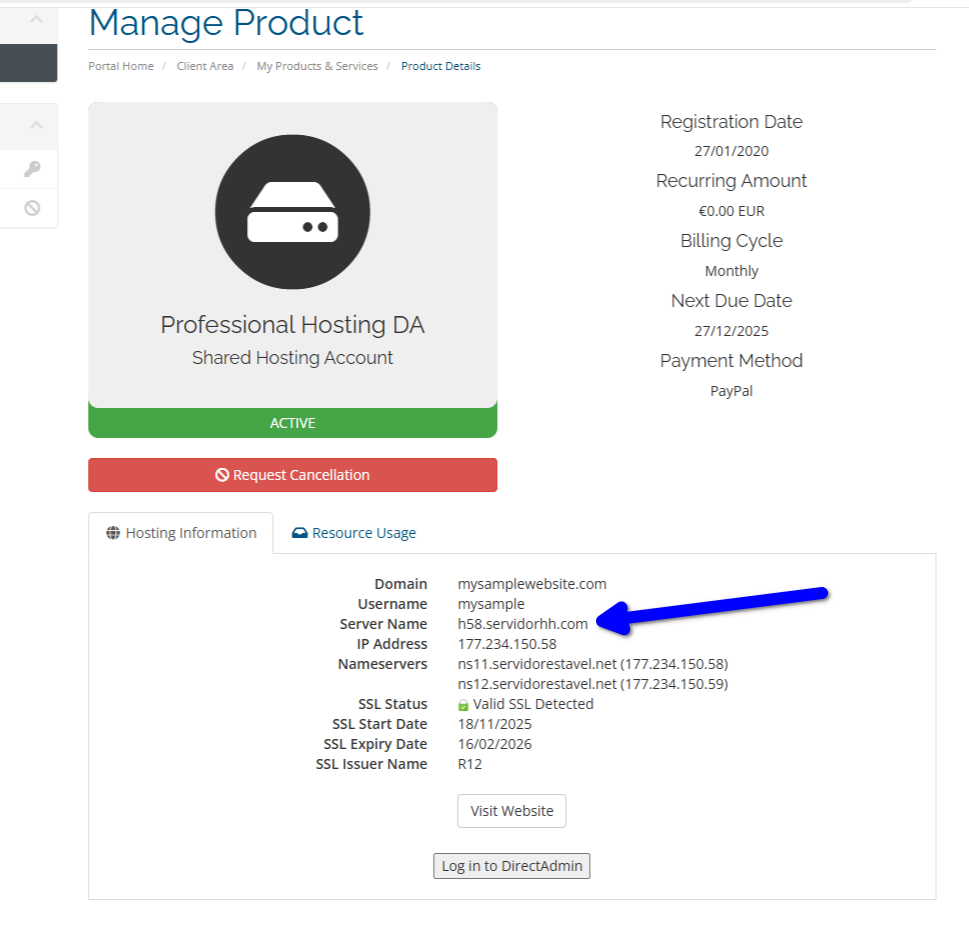
Now you can get the web hosting server hostname, as the following image shows:
Remember: to use an email address, you need to first create the email account in your control panel. You must simply click "Log in to DirectAdmin", to access the web hosting control panel, and create it.